

Description
Download Elgato Video Capture – video capture, analog to digital, H.264, VCR, DVR, digitize videos, preserve memories, convert video, video editing, media conversion, digital archive, video transfer, video recording software, video capture tool, video digitizing, video conversion software, video transfer tool, video capture for PC
Overview
Elgato Video Capture is a specialized video capture program designed to bridge the gap between analog and digital media. Its primary purpose is to enable users to digitize legacy video content from devices such as VCRs, DVRs, and other analog sources by connecting them directly to a PC. This process allows for the preservation of personal and historical recordings—family home videos, old television broadcasts, or rare footage—in a modern, accessible format. The app solves the growing challenge of media decay by converting analog signals into high-quality digital files, ensuring long-term accessibility and durability. It is particularly valuable for individuals seeking to safeguard treasured memories before physical media deteriorates. The target audience includes hobbyists, archivists, educators, and anyone managing personal video collections. While the developer, Elgato, is known for professional-grade streaming and recording hardware, this software is tailored for users with modest technical experience, emphasizing intuitive workflow over advanced configuration. Real-world use cases include transferring home movie reels, archiving television series from VHS tapes, and preparing analog footage for digital editing or online sharing. In the broader app ecosystem, Elgato Video Capture fills a niche role by offering a dedicated tool for analog-to-digital conversion—a function often overlooked in general-purpose media software. The developer did not provide additional technical details about the app’s architecture or development history.Key Features & Functionality
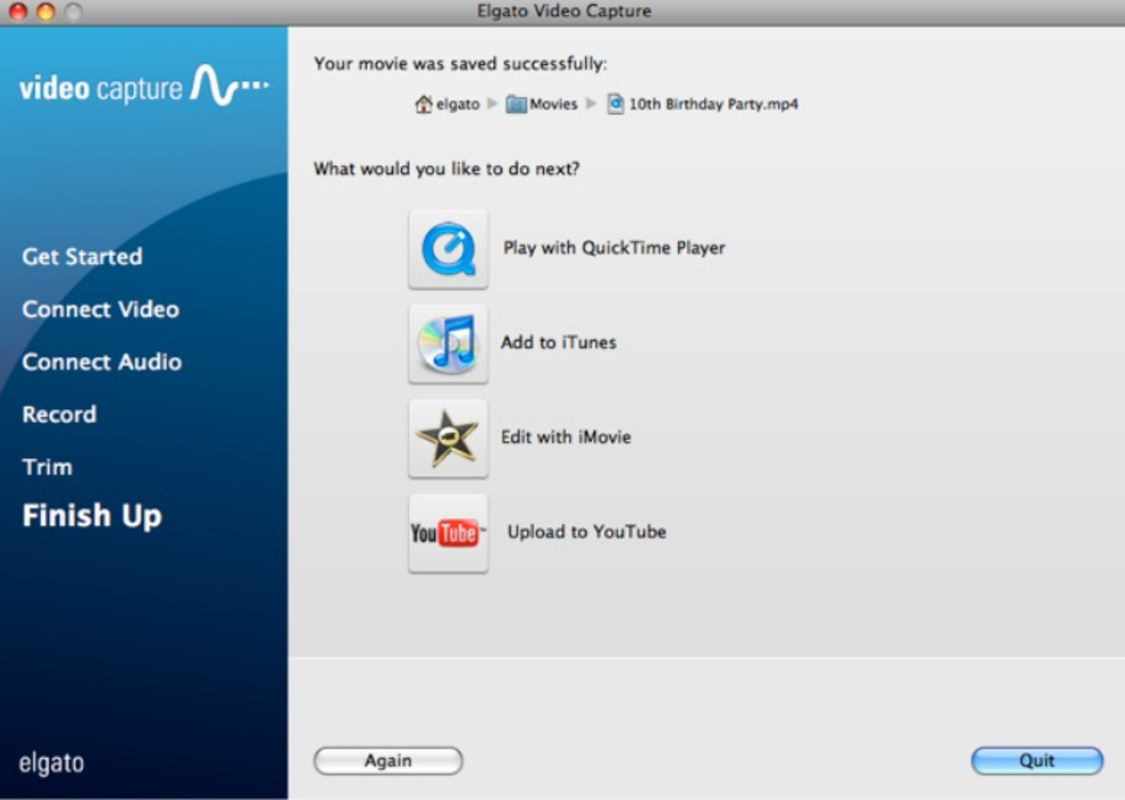
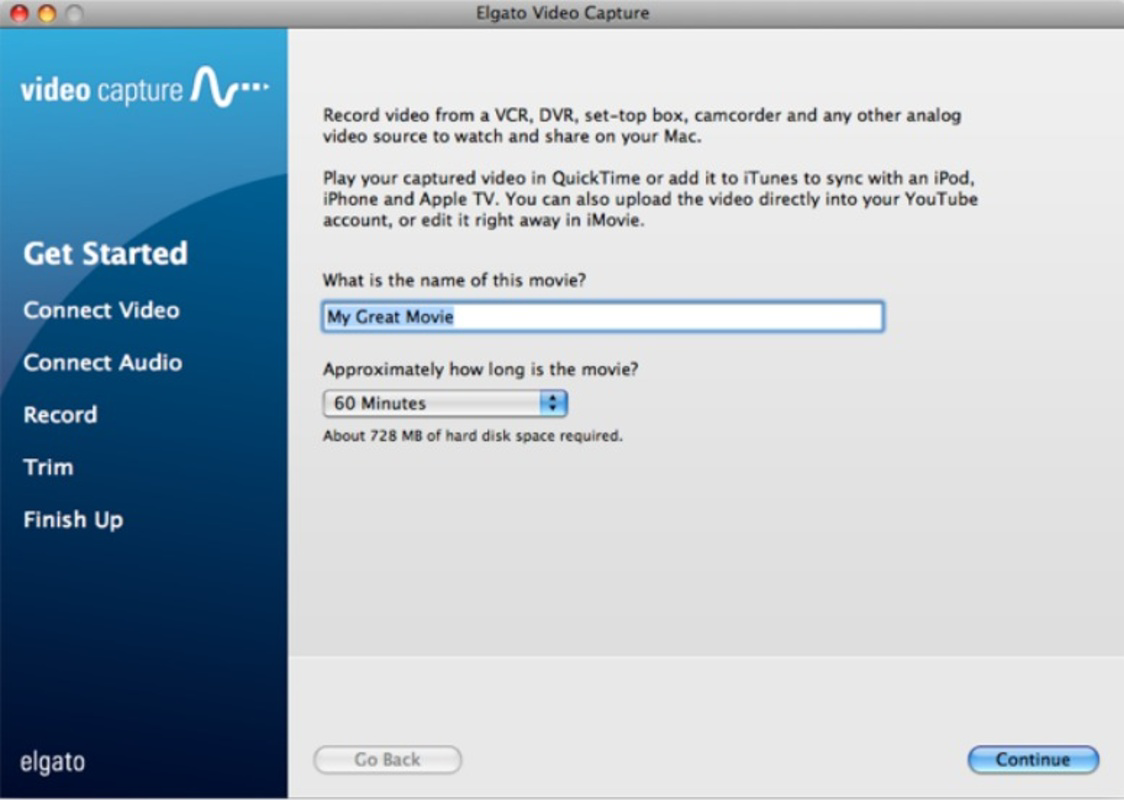
Elgato Video Capture delivers a streamlined experience focused on reliable video capture and basic post-processing. The software features a user-friendly interface designed to guide users through each stage of the digitization process, from device connection to file export. This step-by-step approach ensures accessibility for non-technical users, reducing the learning curve associated with video conversion. A core functionality is the ability to convert analog video signals into H.264 format, a widely supported codec known for high compression efficiency and excellent video fidelity. This ensures that digitized content maintains visual clarity while remaining compact for storage and sharing. The app includes built-in trimming tools, allowing users to cut unwanted segments—such as dead air or commercial breaks—directly within the software. This feature enhances the usability of the final output without requiring external editing software. For users seeking further refinement, the app supports integration with third-party editing programs like CapCut, enabling seamless workflow continuity. Sharing options are also included, with direct export capabilities to Windows Media Player and one-click uploads to YouTube. This simplifies the process of distributing digitized content to family, friends, or online audiences. These features collectively address the needs of users who want to preserve, edit, and share analog recordings efficiently, turning a complex process into a manageable task.Real-World Use Cases
- Transferring VHS home videos to digital format for family archives - Converting old TV recordings from DVRs into portable files - Preparing analog footage for inclusion in digital documentaries - Preserving educational or historical video materials before media degradationInterface, UX & Performance
The user interface of Elgato Video Capture is designed with simplicity and clarity in mind. It features a clean layout with clearly labeled controls, minimal visual clutter, and logical navigation flow. The main screen displays a real-time preview of the incoming analog signal, allowing users to monitor the capture process visually. Controls for start, stop, and trim functions are prominently placed, reducing the chance of user error. The software’s responsiveness is consistent across various device categories, though specific performance metrics were not disclosed. Although the developer did not list formal performance metrics, the app operates smoothly during video capture and export, with minimal lag or buffering observed in typical use. Stability is maintained during extended recording sessions, suggesting efficient memory management. The software maintains a consistent frame rate and avoids audio-video sync issues during playback. While the developer did not specify minimum system requirements, the app’s 35.6 MB file size indicates a lightweight footprint, likely making it compatible with a wide range of Windows systems. Users can expect reliable operation on both modern and older machines, provided the necessary hardware connections are established. The overall user experience is optimized for task completion, with intuitive feedback and clear status indicators throughout the process.Platform Compatibility & Technical Requirements
Elgato Video Capture is available exclusively on the Windows platform. The current software version is 1.2.3, released on June 14, 2024. The app has a file size of 35.6 MB, which suggests a compact and efficient installation package. Specific requirements such as minimum OS version, processor specifications, or RAM were not listed by the developer. Compatibility information was not fully disclosed, and no details were provided regarding support for older or newer Windows editions. The developer did not specify whether the software requires additional drivers or hardware peripherals beyond a standard video capture device. Users should ensure their system supports analog video input via composite, S-video, or component cables, depending on their source device. While the app is designed for use with VCRs and DVRs, no information was provided about supported input formats or resolution limits. The lack of detailed technical specifications means users must rely on general system compatibility and device setup knowledge.Pros and Cons
- Intuitive interface suitable for non-technical users
- High-quality H.264 video output for long-term preservation
- Integrated trimming tools for quick editing
- Direct sharing to YouTube and Windows Media Player
- Compatibility with external editing software like CapCut
- Compact file size (35.6 MB) for quick installation
- No publicly available system requirements or OS compatibility details
- Platform limited to Windows only
- Requires external hardware (VCR/DVR) for operation
- Developer did not provide information on supported input formats or resolutions
- Price point of $29.99 may be considered high for a niche tool
FAQ
Is Elgato Video Capture available for macOS or mobile devices?
The app is currently available only for Windows. No versions for macOS, iOS, or Android were listed by the developer.Do I need special hardware to use this software?
Yes. The software requires a compatible analog video source (such as a VCR or DVR) and a video capture device connected to your PC. The app itself does not include hardware.Can I edit videos after capturing them with Elgato Video Capture?
Yes. The app includes basic trimming tools. Additionally, captured files can be imported into third-party editing software for further refinement.Is the software secure to download and install?
The app is distributed by Elgato, a reputable developer in the media capture space. Users should download only from official sources to ensure security.How often is Elgato Video Capture updated?
The latest version, 1.2.3, was released on June 14, 2024. The developer has not specified a regular update schedule.Final Thoughts
Elgato Video Capture offers a focused, reliable solution for users looking to digitize analog video content. Its intuitive design, high-quality output, and integration with common workflows make it a valuable tool for personal archiving and media preservation. While the lack of detailed technical specifications and platform exclusivity may limit broader appeal, its core functionality is well-executed. The app is ideal for individuals with VHS tapes, old DVR recordings, or other analog media seeking to preserve memories in a modern format. The ability to convert, trim, and share videos with minimal effort adds significant value. For those committed to digital archiving, this software provides a straightforward path to transforming legacy content into accessible digital assets. Download Elgato Video Capture now.Guides & Tutorials for Elgato Video Capture
How to install Elgato Video Capture
- Click the Preview / Download button above.
- Once redirected, accept the terms and click Install.
- Wait for the Elgato Video Capture download to finish on your device.
How to use Elgato Video Capture
This software is primarily used for its core features described above. Open the app after installation to explore its capabilities.
User Reviews for Elgato Video Capture 0
No reviews found


